1month
Live TV for one month
$15USD
$15/month
- Live TV core subscription
- Movies add-on: +$3/month
- Series add-on: +$3/month
- Apple TV activation
- Setup and account support
 Northstar
The Northstar tvOS experience
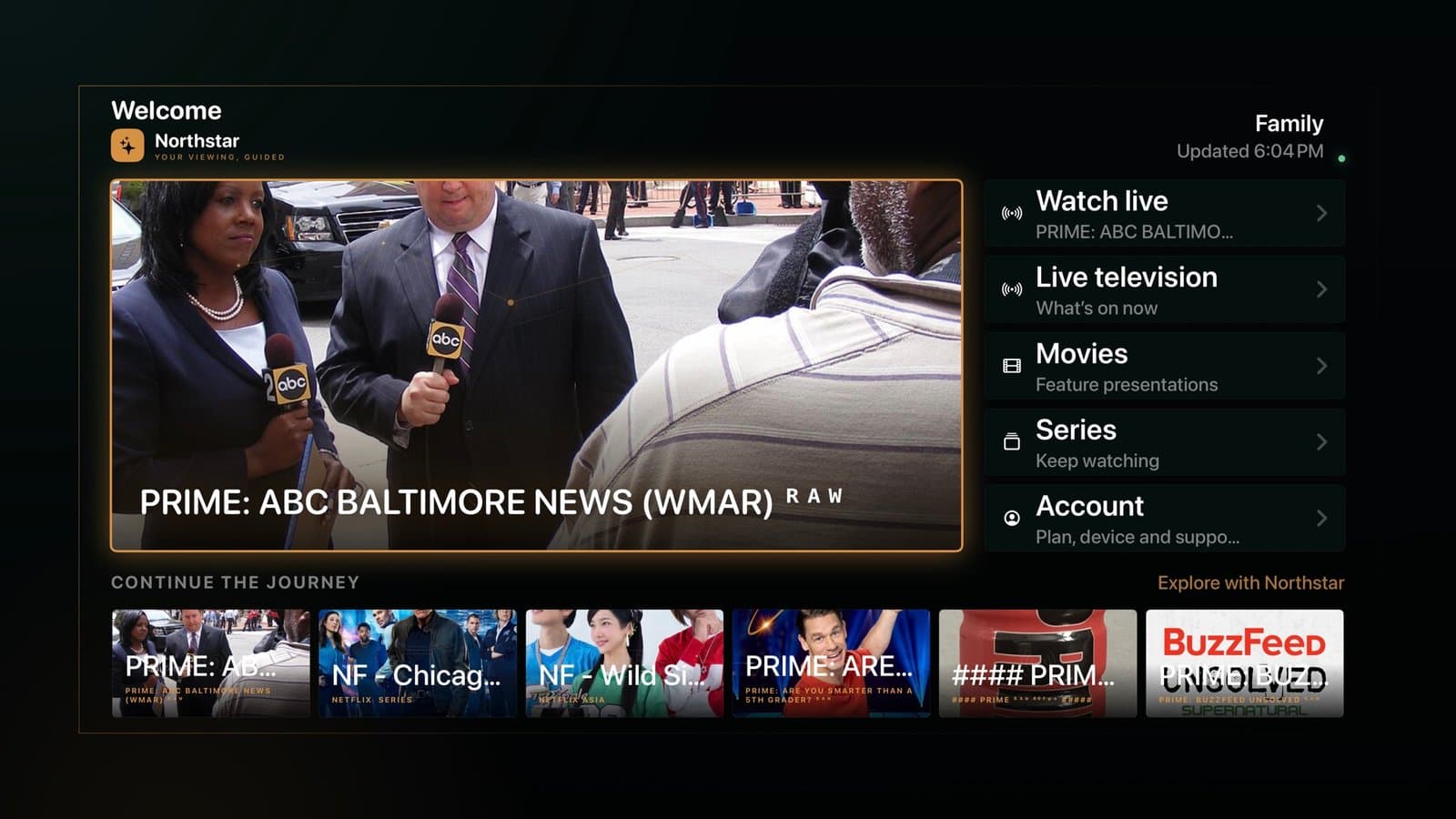
The Northstar home guide puts live television, movies, series, account details, and your recent viewing into one calm Apple TV screen.
The guide shown is the actual Northstar tvOS home experience. Available programming depends on your authorized service.Flexible payment methods
Simple access options
Start with one month or choose a longer term. Live TV is the core subscription; Movies and Series can each be added for $3.00 more per month.
Live TV for one month
$15/month
Live TV for three months
$10/month · Save $15
Half a year of Live TV
$7.5/month · Save $45
Access begins on activation. Compatible Apple TV hardware and internet are required. Catalog availability may change.
Apple TV setup
Northstar keeps setup short and future changes automatic, so you do not need to reinstall the app when your account configuration changes.
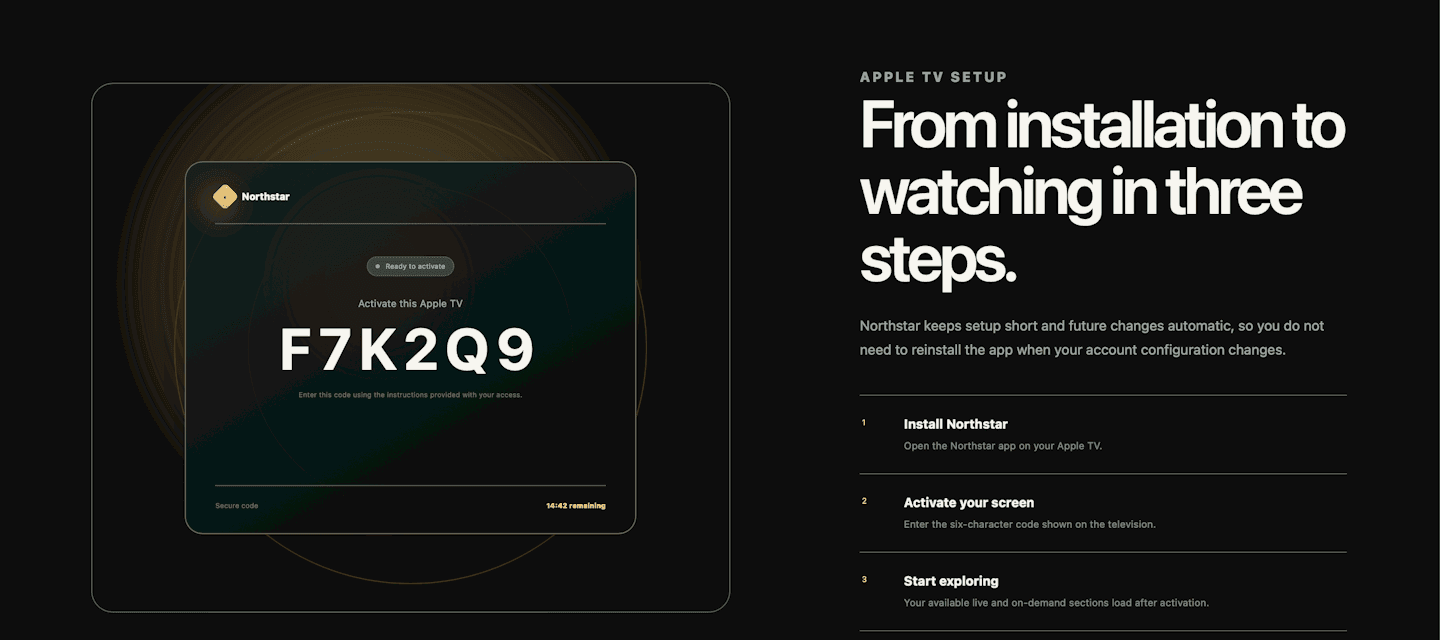
Open the Northstar app on your Apple TV.
Enter the six-character code shown on the television.
Your available live and on-demand sections load after activation.
Frequently asked questions
Northstar keeps the offer straightforward and the content boundary clear.
Every Northstar subscription starts with Live TV. Movies and Series are optional $3.00-per-month add-ons. The exact catalog can vary by provider, region, and applicable distribution rights.
You can choose 1, 3, or 6 months of access. Your term begins when the Apple TV is activated, and the expiration date stays visible in your account.
This version of Northstar is designed for compatible Apple TV devices. We only advertise additional device support after it has been tested and released.
Open Northstar to receive a six-character activation code, then follow the displayed instructions to connect that Apple TV to your account.
Yes. Live channels and on-demand availability can change based on the assigned provider, licensing, location, and service updates.
Still have a question?
Your screen. A clearer direction.
Live programming and on-demand entertainment in one Apple TV experience, backed by guided setup and human support.
Choose your access termReady when you are
Tell us which access term fits. We will reply with activation and setup details.